Pittsburgh Permit & Area Alert System

Building Smarter Civic Notifications: Inside the OneStopPGH Permit & Area Alert System

Cities generate an enormous amount of data every day – but too often, that data remains difficult for the public to access in a meaningful, timely way. At SymGEO, we focus on turning complex geospatial systems into intuitive, actionable tools.

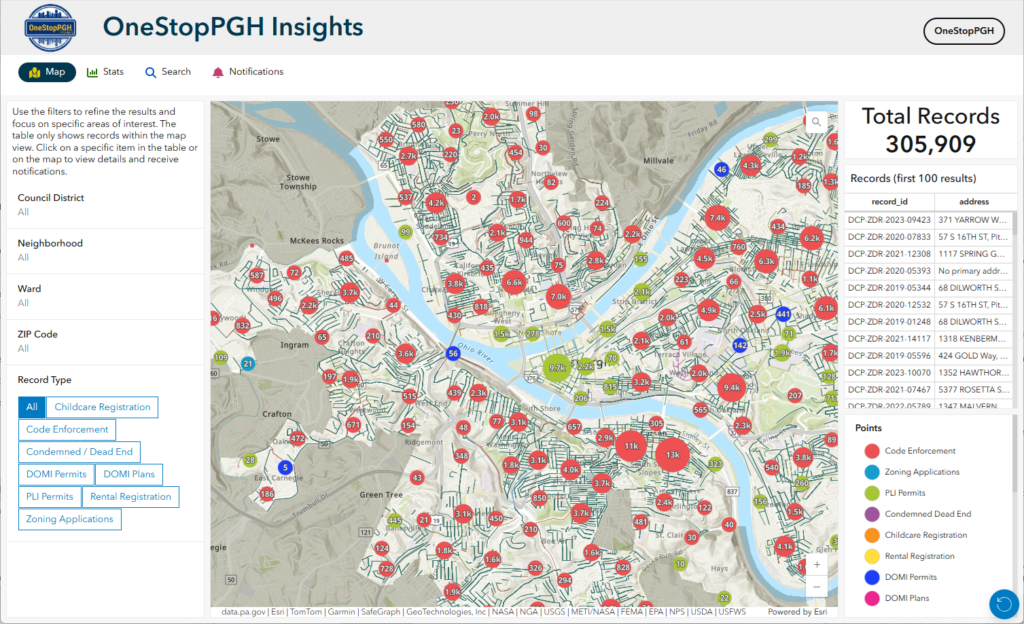
The OneStopPGH Insights platform from the City of Pittsburgh is a strong example of that philosophy in action: a scalable, map-driven notification system that keeps residents, businesses, and stakeholders informed about permit activity – automatically.
From Static Data to Real-Time Awareness

The request to SymGEO was straightforward: Give users the ability to track changes to permits or geographic areas they care about, without requiring them to constantly check a website.

The result is a self-service subscription system where users can:

  • Follow a single permit
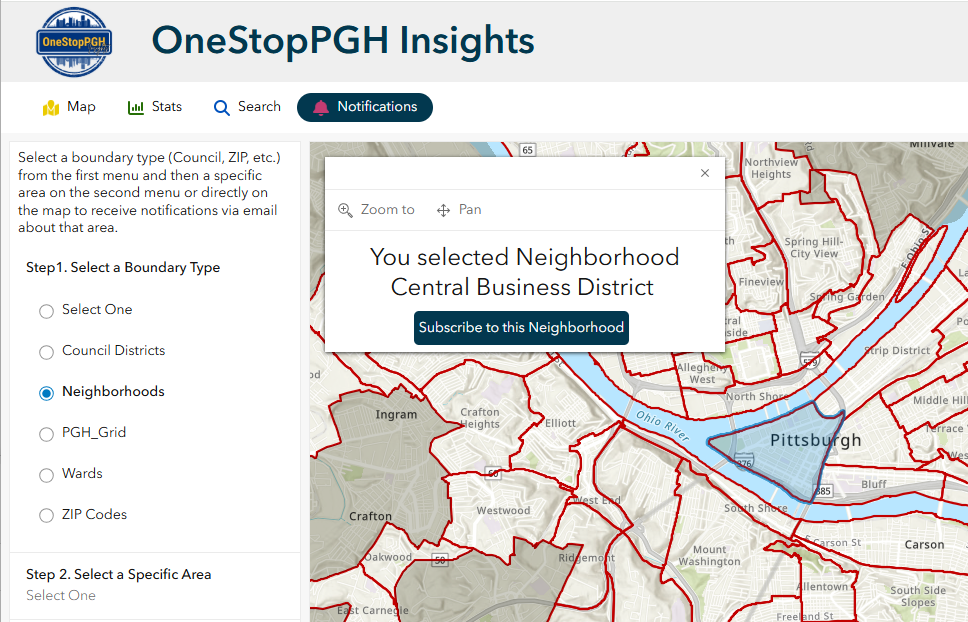
  • Monitor activity within a defined area (neighborhoods, council districts, zip codes, etc.)
  • Receive automated email updates when changes occur
  • Easily unsubscribe at any time

All of this is delivered through a seamless, map-based experience.
“SymGEO has been an exceptional partner in helping us turn complex permitting data into something clear, accessible, and meaningful for our residents. The OneStopPGH notification system reflects exactly what we aim for as a City – modern, transparent tools that empower the public and reduce barriers to information. This solution not only enhances how our community stays informed, but also strengthens the foundation for how we deliver digital services moving forward.”

– Senior Manager – Applications, City of Pittsburgh

A Simple, Intuitive User Experience

The system was designed to feel natural for anyone already familiar with interactive maps.

Subscribing to a Single Permit

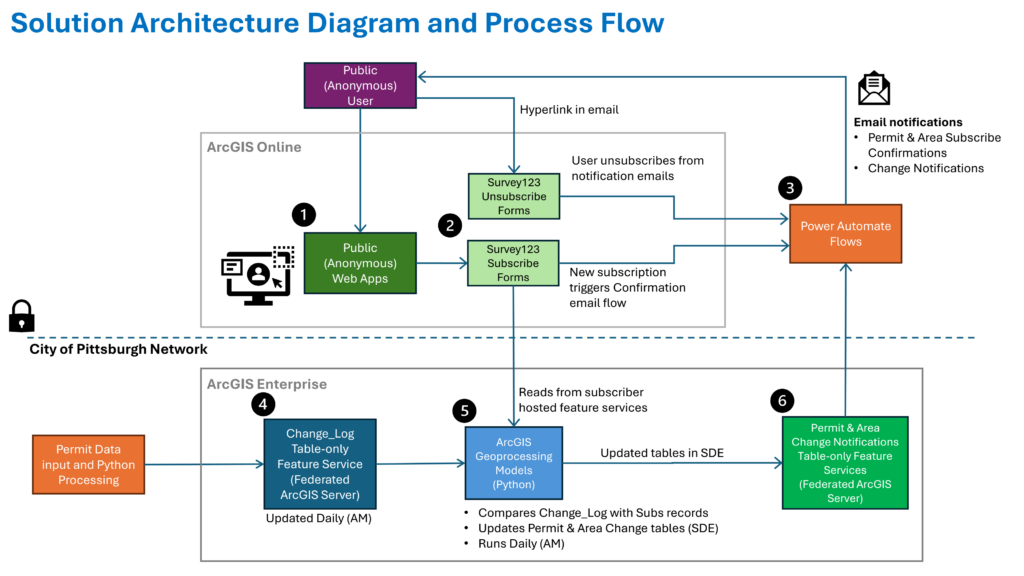
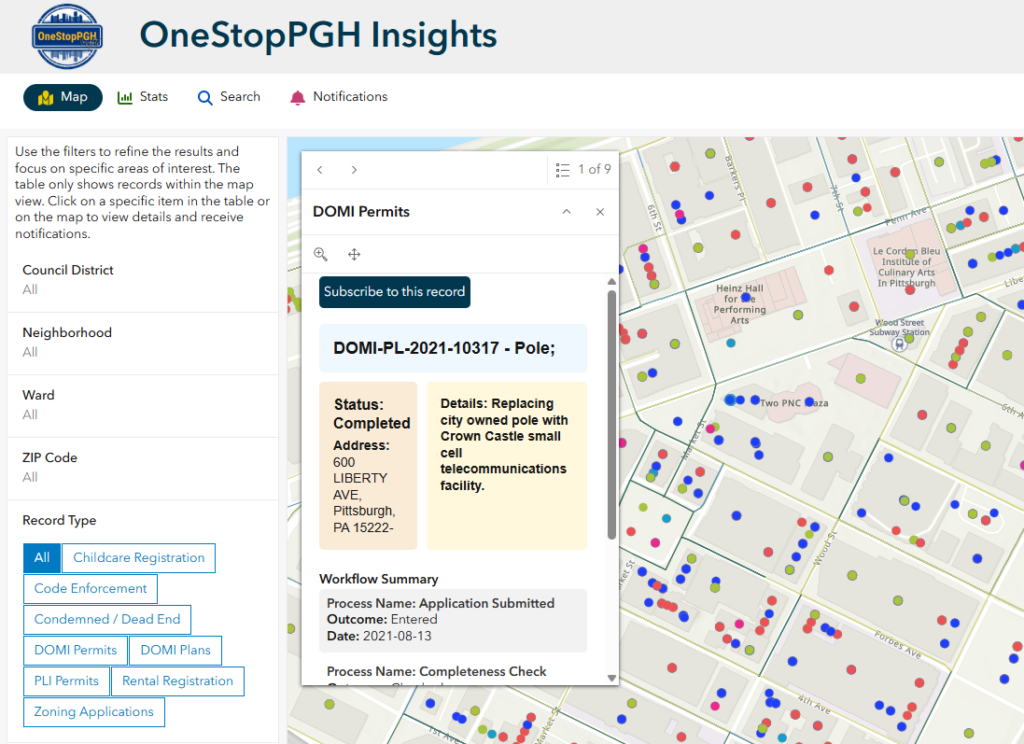
Users explore the public web app, click on a permit point, and subscribe directly from the map. Behind the scenes, a lightweight form captures their request, and they immediately receive a confirmation email with links to:

  • View the permit in a live dashboard
  • Unsubscribe with a single click

Subscribing to an Area of Interest

For broader monitoring, users can navigate to a notifications panel, select a geography (like a neighborhood or council district), and choose the types of records they care about. From there, the system handles the rest – tracking relevant changes and delivering updates automatically.
The Technology Behind the Experience

While the user experience is simple, the architecture behind it is intentionally robust and scalable.

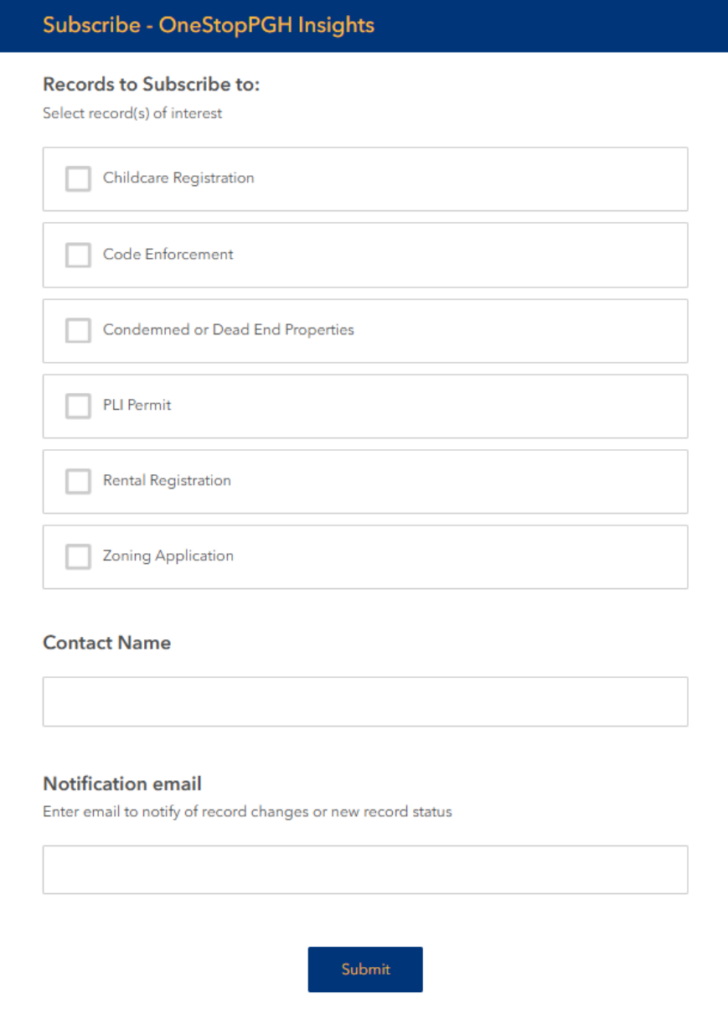
The solution combines:

  • ArcGIS Online for public-facing applications and user interaction
  • ArcGIS Enterprise for authoritative data management and spatial processing
  • Survey123 for structured subscription and unsubscribe workflows
  • Microsoft Power Automate for orchestrating notifications

This hybrid approach allows the system to balance public accessibility with enterprise-grade reliability.
Why Architecture Matters

Rather than relying on real-time queries or tightly coupled systems, we designed the platform around precomputed change detection.

Each day:

  1. Source permit data is updated within the City’s GIS environment
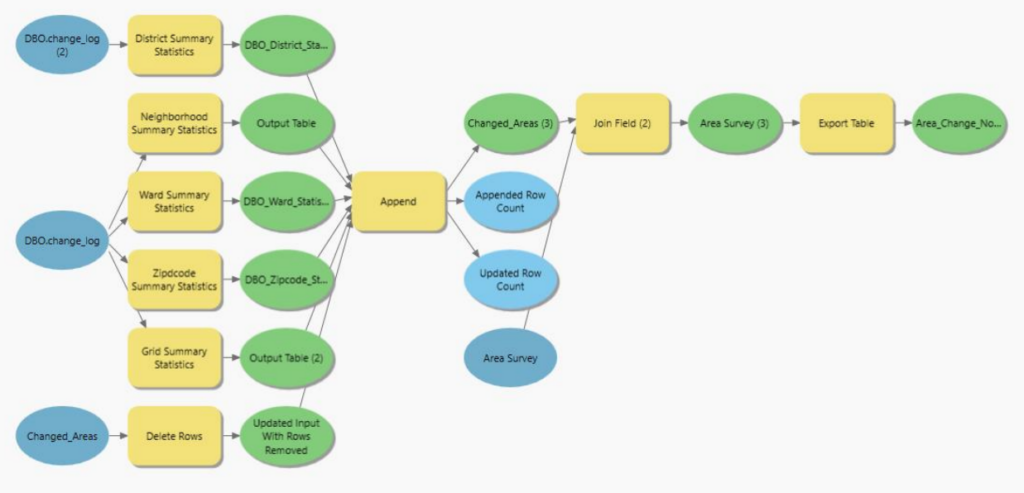
  2. Automated models identify what has changed
  3. Changes are resolved to:
    • Individual permits
    • Subscribed geographic areas
  4. Results are written to staging tables
  5. Power Automate sends targeted email notifications

This approach avoids:

  • Heavy real-time spatial queries
  • API bottlenecks
  • Performance instability during peak usage

And it ensures:

  • Predictable system performance
  • Easier troubleshooting
  • Long-term maintainability

Built for Scale and Sustainability

A key design principle was keeping authoritative processing inside the City’s infrastructure while allowing public interaction to remain lightweight and anonymous.

The system is:

  • Decoupled – user actions don’t directly trigger heavy backend processing
  • Auditable – all notification logic is traceable through staging tables
  • Maintainable – clear separation between GIS, automation, and user interfaces

Operationally, the platform is supported by:

  • Daily automated data pipelines
  • Scheduled change detection scripts
  • Monitoring workflows for subscriptions and system health

Real Impact for Cities and Communities

The OneStopPGH notification system transforms how users engage with civic data:

  • Residents stay informed about development in their neighborhoods
  • Businesses can monitor permits affecting operations or investments
  • City staff reduce manual communication overhead

Most importantly, it creates a transparent, proactive communication channel between local government and the public.
A Blueprint for Modern Geospatial Engagement

This project demonstrates a repeatable pattern for cities looking to modernize how they share information:

  • Start with authoritative GIS data
  • Add intuitive, map-based interaction
  • Use automation to deliver timely insights
  • Design for scale from day one

At SymGEO, we believe the future of geospatial isn’t just about maps – it’s about delivering the right information to the right people at the right time. Contact Us to start a conversation today about your unique project requirements.

Tree Permitting

Did you know that any Washington DC resident or contractor who wishes to plant, prune, or remove a tree within the public right of way must first obtain permission from the District Department of Transportation (DDOT) and the Urban Forestry Division? However, knowing when, where, and how to get the right permit for tree work in DC can be a complicated process. Fortunately, DDOT has a new resource available to make it easy! Check out the Tree Permitting Hub site to answer all tree permitting questions.


SymGEO built the Tree Permitting site using ArcGIS Hub technology, which leverages ArcGIS Online mapping and graphic examples to help explain what type of permit is needed based on tree location, property boundaries, and tree size. The site also explains the benefits of the Income Contingent Hazardous Tree Mitigation Program that provides assistance with the removal of a hazardous tree on an owner’s private property.

As an example of “good to know” information, Washington D.C. is unique in that it has dedicated park space along most streets. This “parking” area is generally used for landscaping, retaining walls, trees, and other greenery. Just like on private land, all landscape elements (including trees) in this parking area are the responsibility of the homeowner to maintain. On the other hand, all trees located in the public “sidewalk” area are the responsibility of the city to maintain. However, these trees may be negatively impacted by development or construction projects and need to be considered before projects begin.

Talk to our industry experts today if your agency or organization is interested in community engagement with the power of Esri’s ArcGIS Hub or mapping with ArcGIS Online – SymGEO is here to help!

Tree Preservation

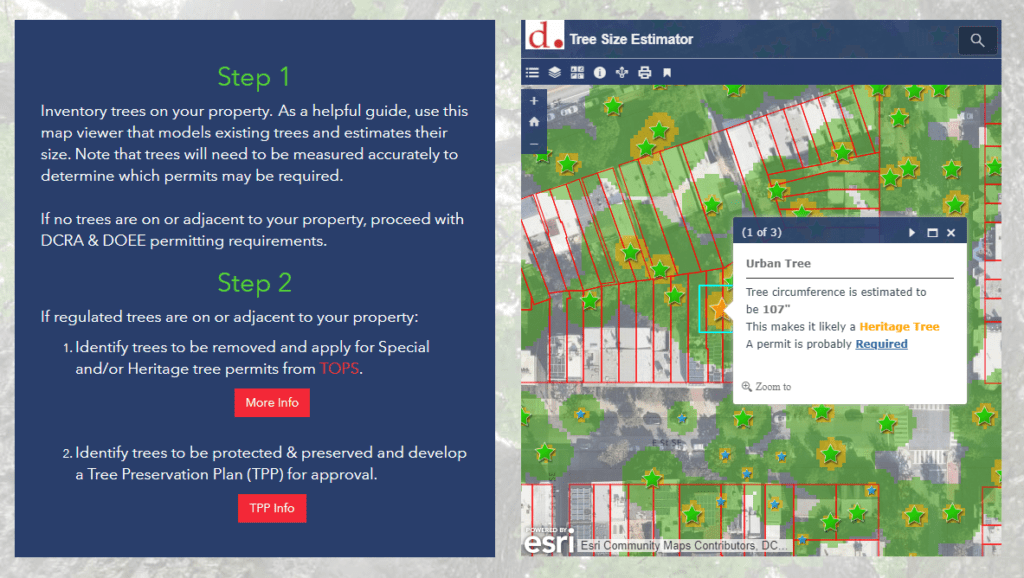
Did you know that trees are so important to Washington DC that they are protected by the Urban Forest Preservation Act and the Tree Canopy Protection Act? This means that before performing any excavation or construction activity on private property, it is important to consider any potential impacts to the trees on site. To facilitate this process, SymGEO is proud to help DDOT launch a new resource, the Tree Preservation Hub site, for property owners and construction companies to identify which trees need to be protected and how to best take care of them during home renovations or new construction projects.

tree preservation hub site

Built using ArcGIS Hub technology, this site leverages ArcGIS Online mapping and graphic examples to help explain what type of permit or protection plan is needed based on estimated tree size. Tree sizes were estimated using LiDAR processing, which in turn is used to estimate the critical root zone and structural root zones that need to be protected during construction. Modeling several hundred thousand trees at the same time has its challenges; however, ArcGIS Pro, ArcGIS Enterprise, Arcade expressions, and hosted image services were used to efficiently capture and share the modeling results.

Talk to our industry experts today if your agency or organization is interested in community engagement with the power of Esri’s ArcGIS Hub or data processing with ArcGIS Pro – SymGEO is here to help!

Server, Portal and Enterprise

Publishing, organizing, and making data accessible on the web can be tricky business in an ever-changing technical landscape. Not surprisingly, there isn’t a “one-size-fits-all” solution due to the number of infrastructure variables involved in setting up your own data server.

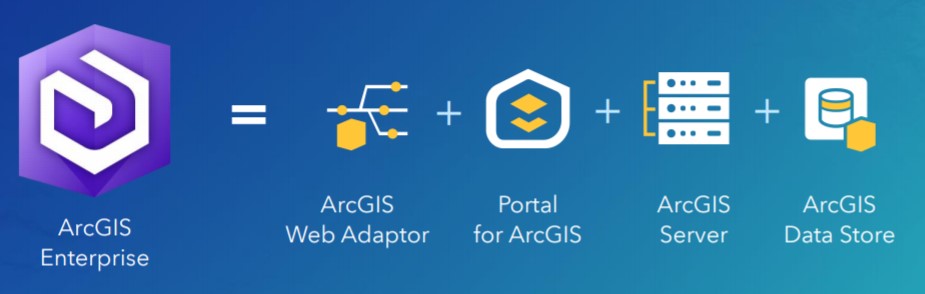
ArcGIS Enterprise, a relatively new product offering from Esri, is designed to help streamline the process and provide maximum flexibility on deployment scenarios. Enterprise is a full-featured mapping and analytics platform that includes a powerful GIS server, plus dedicated web-based GIS infrastructure to organize and share your work.

enterprise

Enterprise includes:

  • An enterprise GIS portal for organizing and sharing GIS assets.
  • A data store for secure storage and fast access to maps and data.
  • Optional GIS capabilities for real-time imagery and large data processing.
  • Even more capabilities when you opt for GIS server extensions.
  • An enterprise geodatabase, the ultimate in geodata storage and management.

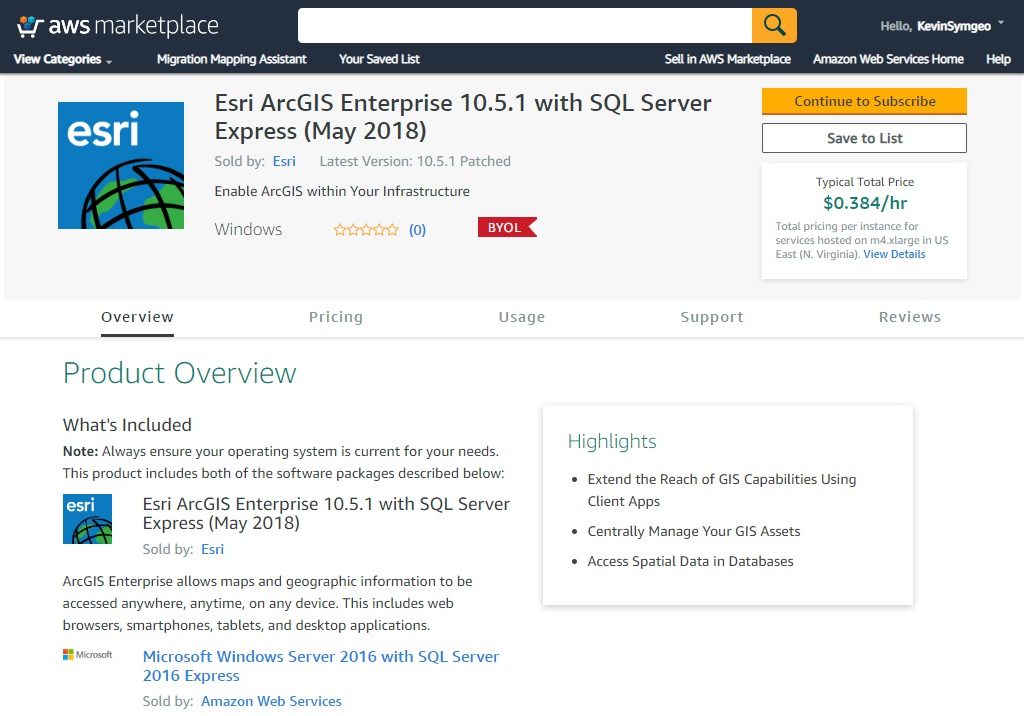
Esri offers a number of solution components that are ready to be implemented; both in the cloud through Amazon Web Service (AWS) or Microsoft Azure, or on premise using your own server.

AWS enterprise AMI

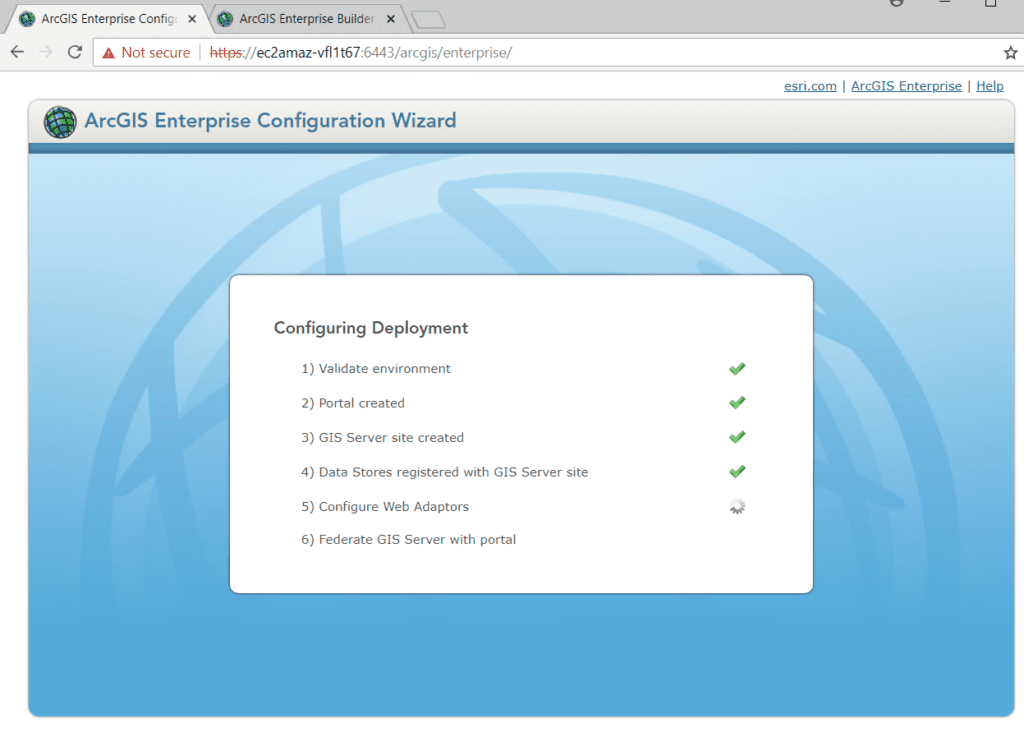
Based on our testing, the most easily accessible implementation is achieved using the Builder solution. However, even that implementation has a few tricky steps that involved manually configuring web adapters, setting bindings, web context URLs, and static public IP addresses.

enterprise builder

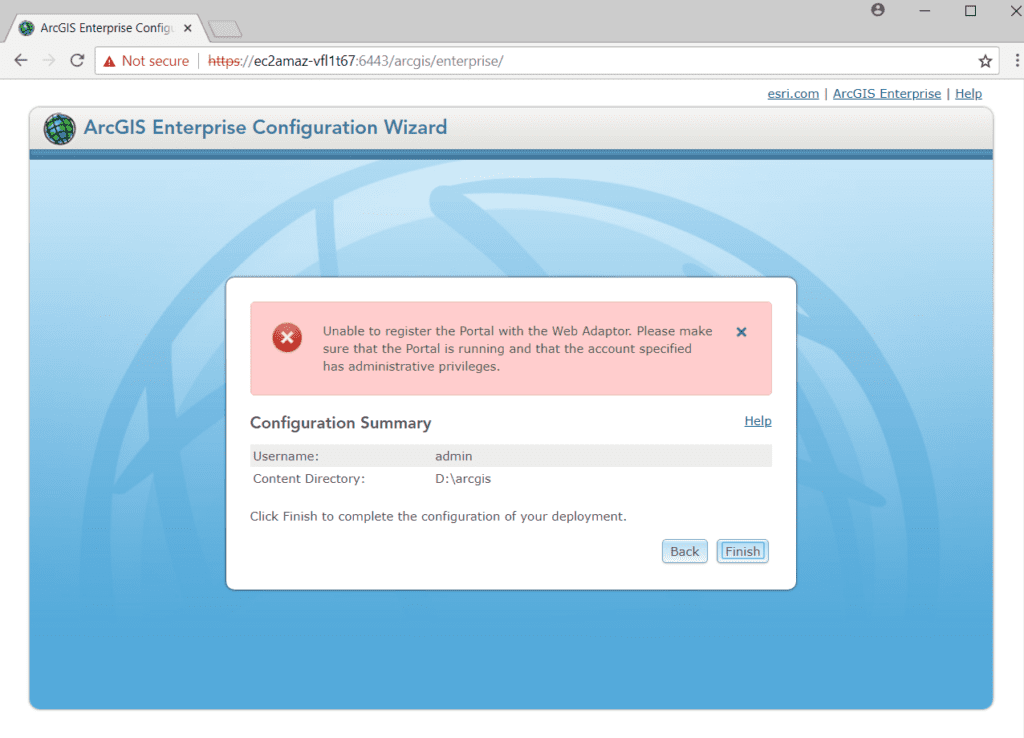
Fortunately, when it does error out, the error messages are usually quite specific and pointed us in the right direction.

portal registration error

There is also a very active internet community ready to jump in and help on this topic. When all else fails, Esri tech support is the most patient, educational crew around based on our experience of several hours of configuration trouble-shooting.

Once Enterprise is successfully installed, user groups, permissions, logins and account set up is relatively easy. This allows each user the required level of access, and complete control over the branding and visibility of your data.

If you’re ready to set up Enterprise, Server, or Portal, let SymGEO know as our highly trained technical staff are here to help.