Keeping track of who is where, what’s coming soon, square footage available, and when leases are ending can be quite a challenge when hundreds (or thousands!) of properties are involved. Fortunately, GIS is perfectly suited to this task of commercial property management, as it combines space, time, attributes and symbology into one cohesive picture.
For the Kentlands community in Gaithersburg, MD, ArcGIS Online data was used to power an initiative called Downtown: Energize!, that has garnered critical acclaim from residents and business owners alike. This Hub site designed to explore existing retail, gather community ideas, and identify opportunities for commercial business. With almost a hundred commercial properties involved, including several large commercial parcels, the data came in the usual assortment of formats (pdf, GIS, field collection). However, the end result was a cohesive framework designed to be updated and informed by the community it serves through a crowd-sourced GeoForm application.
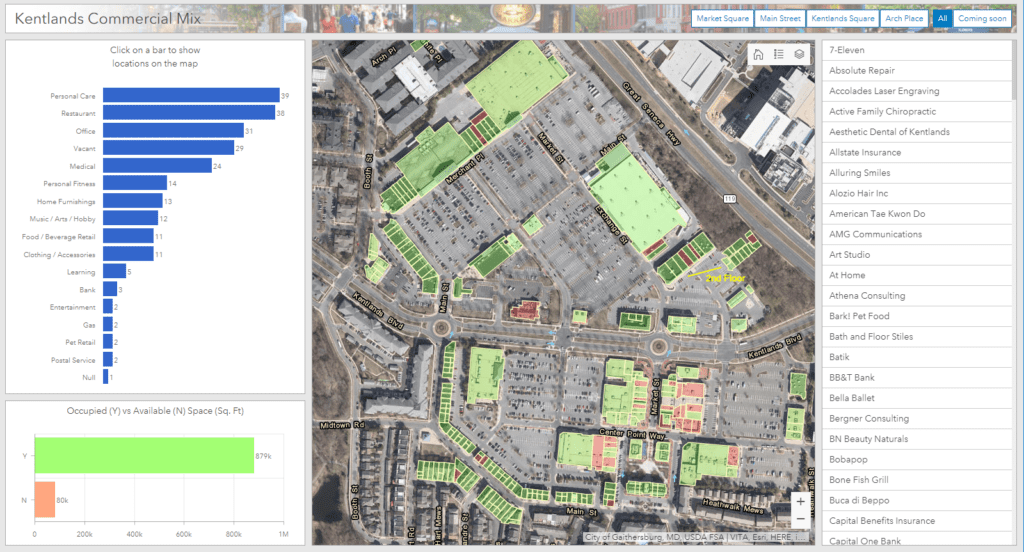
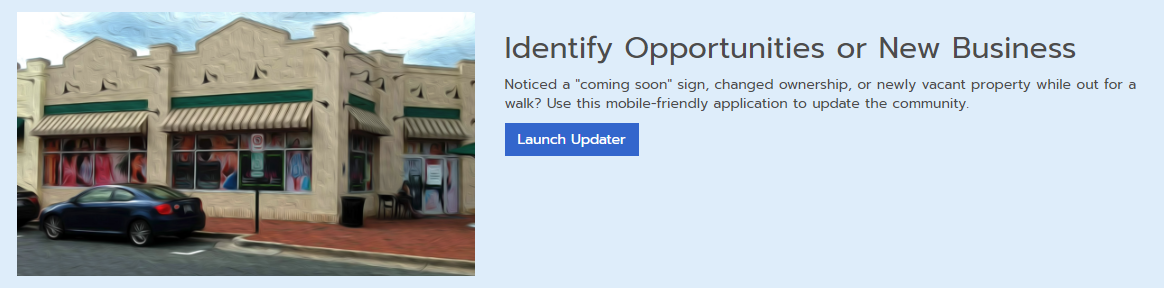
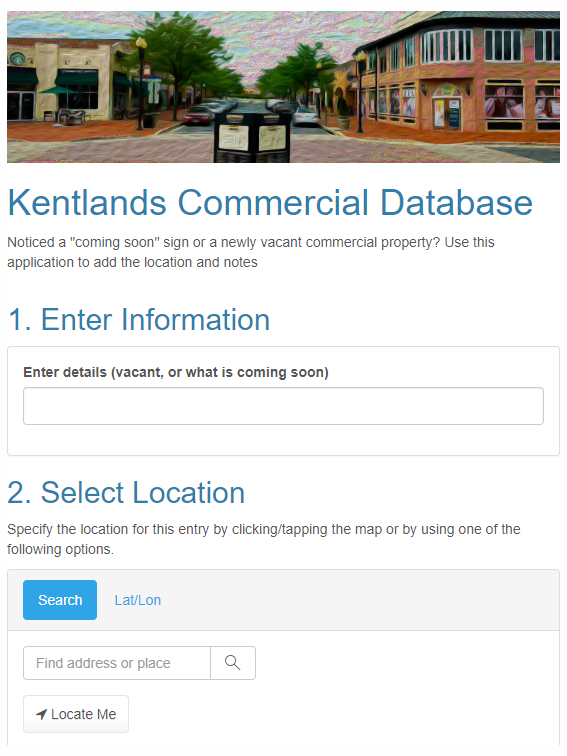
Searching by business name was enabled through a configurable application that is embedded into the Hub site. There is also active development and building reconfiguration occurring in this area, as shown below with the current buildings overlaid on last year’s imagery. This solution provides a one-stop shop for information about current commercial businesses in the area, and a common platform for the community to use.
If your community is ready to get started with a Downtown: Energize! initiative or your business would like to use GIS as a property management tool, let us know as SymGEO is here to help!
SymGEO is proud to announce a new project with the Virginia Department of Transportation (VDOT), designed to explore the use of remote sensing techniques in the identification of wetlands. Traditional wetland delineation requires expert field work, which includes many hours of travel, sampling, and precise survey measurement to delineate what can actually be quite a variable environmental boundary. The best indicators of wetlands tend to be the vegetative species, ground elevation, and hydrology connectivity. Soil sampling and other methods are used to further validate findings, but in today’s data-rich environment, a pretty good indication of wetlands can be gathered through remote sensing.
For this project, LiDAR elevation information was combined with multi-spectral imagery to produce a 6-band composite image using ArcGIS Pro. This composite image was then used in conjunction with National Wetland Inventory (NWI) data to establish training sites for a supervised classification algorithm.
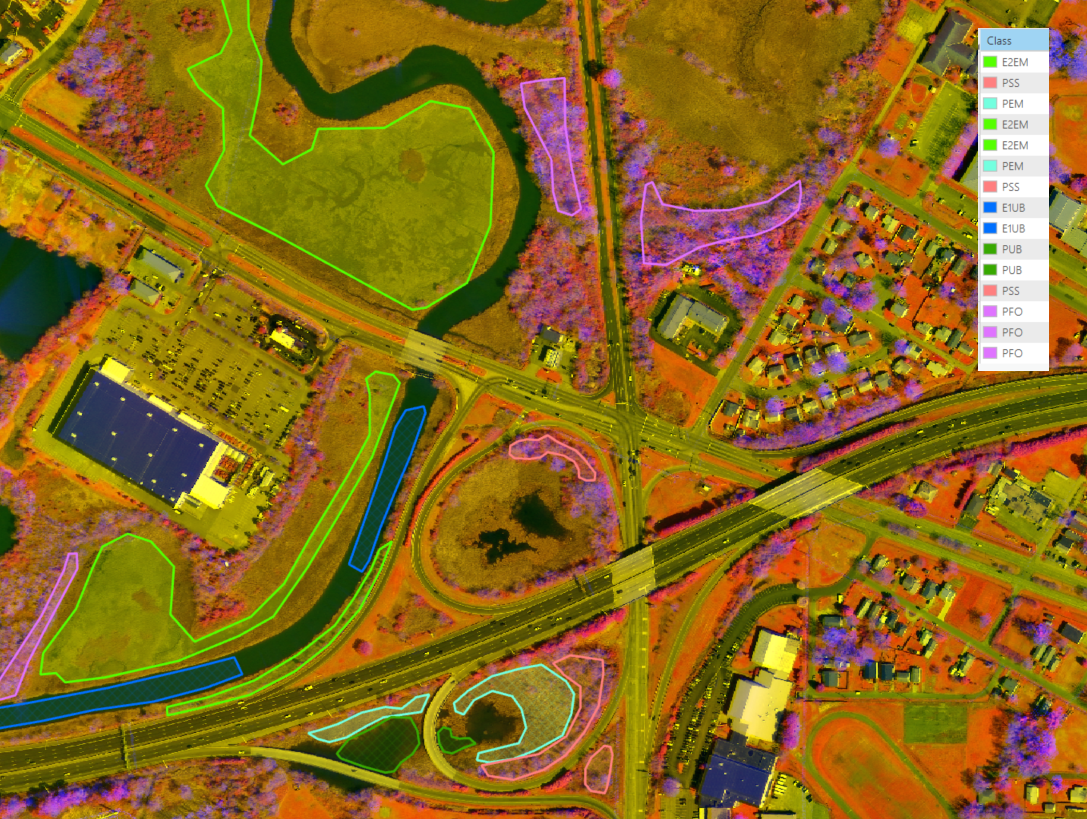
Once a suitable number of training sites were established, the supervised classification algorithm was run on the pilot study area. The results were compared with the National Wetland Inventory data, and a substantial improvement in boundary alignment was noted. This is critical in the accurate measurement of potential impacts to wetlands during road construction or property development, so that an equivalent, mitigating wetland area can be created elsewhere.
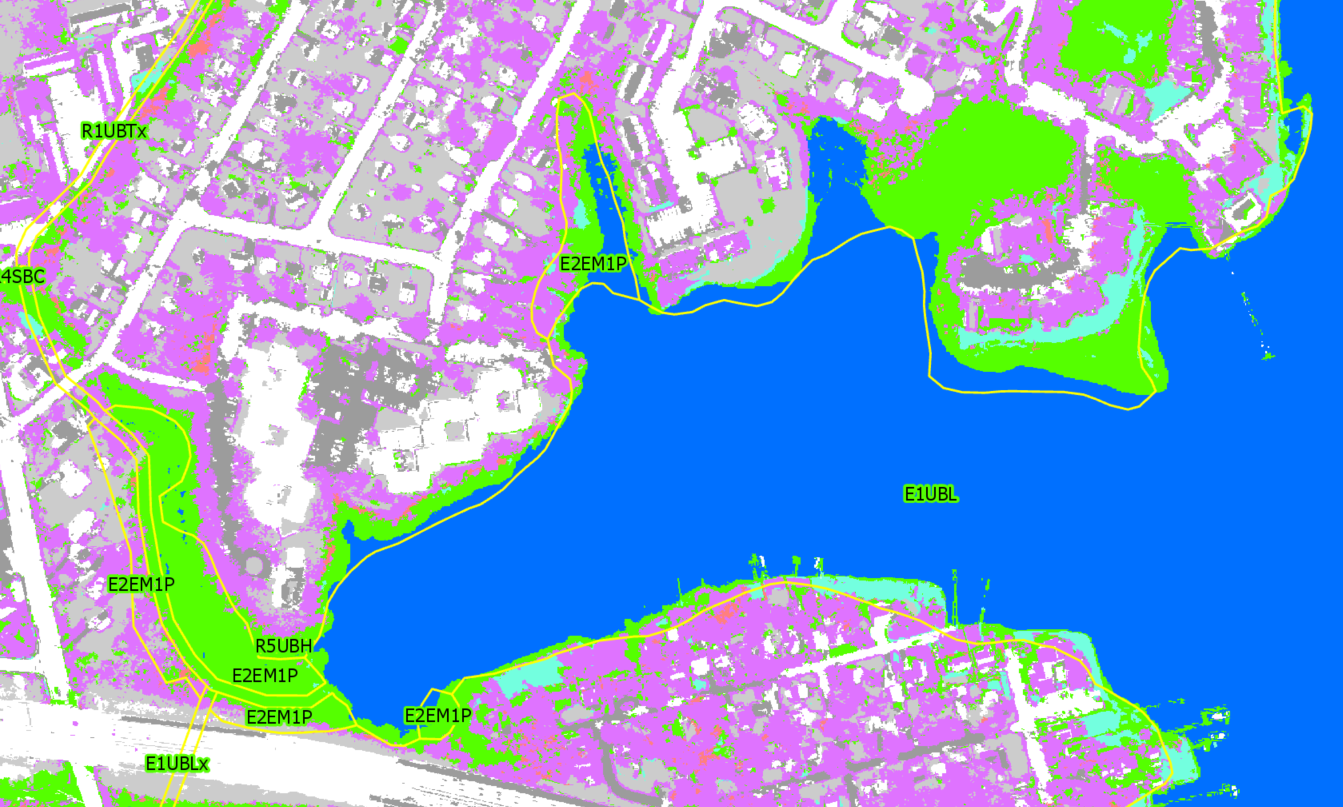
It was noted that upland forested areas were sometimes identified as wetland forested areas, indicating that elevation relative to nearest water needs to be included in the classification algorithm. The classification results are currently used as a guide for semi-automated wetland area delineation, but we believe the model could mature to include all required factors and accurately, automatically delineate the wetlands.
If you have supporting data and a need for efficient wetland delineation, SymGEO would love to talk!
Sledding and July don’t usually go together, but what better time to plan out the winter’s adventures? This is the quintessential example of an idea that took 6 months to mature and then a few hours to accomplish, thanks to the power of Web AppBuilder and Landscape Modeler.
Like all great solutions, I was trying to do something else (boring technical details redacted), but happened on the Landscape Modeler which had most of the needed architecture already in place. By wrapping the model into an application configured using Web AppBuilder, the Sledding Locator was created in a matter of hours.
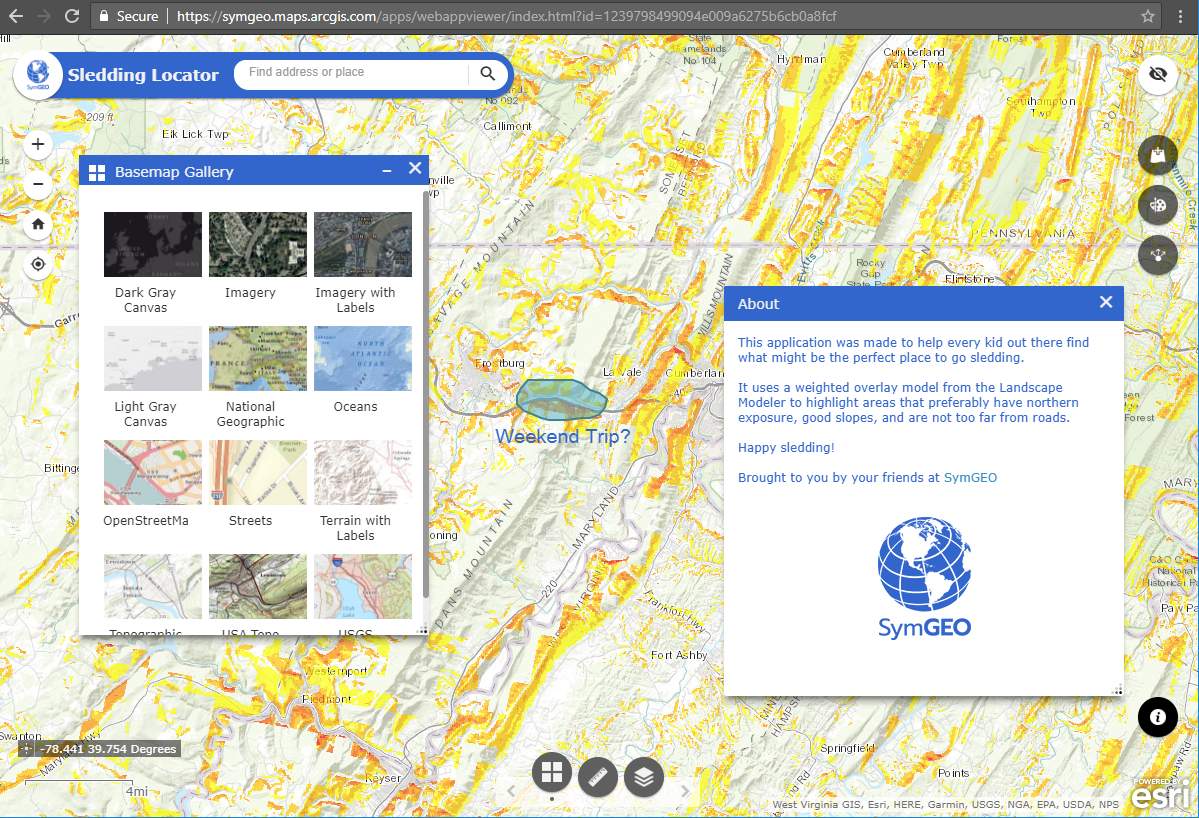
This application leverages a weighted raster overlay (WRO) model that specifically targets northern-facing sloped areas with roads in the general vicinity. When combined with some of the other basemap layers, particularly imagery to see if it’s relatively open lands, users will be able to tell if it’s worth scouting out for sledding potential following a snow-storm!
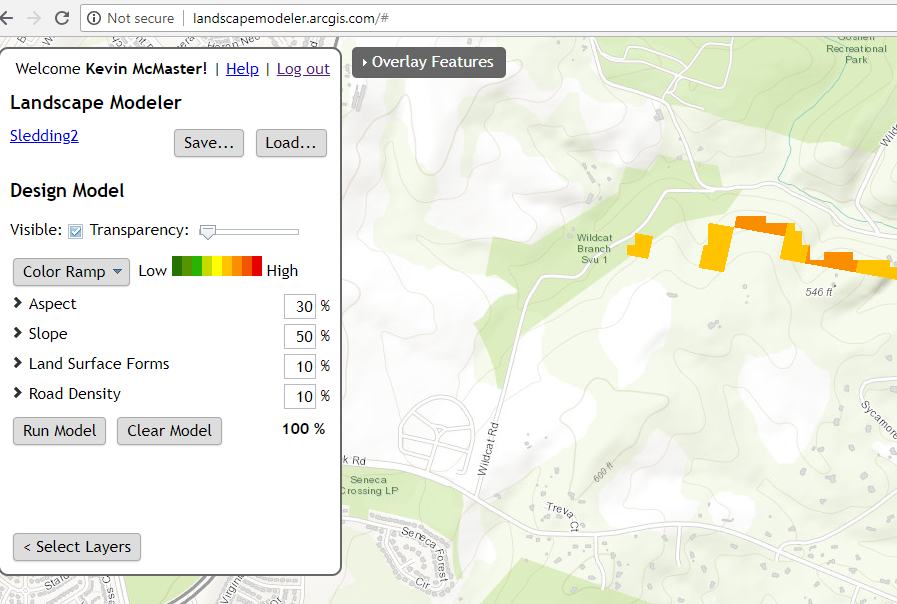
From the technical Esri documentation: Weighted overlay has three conceptual steps. First, each raster layer is assigned a weight, as a percentage, in the analysis. This allows you to emphasize the relative importance of each layer in the analysis. Second, values within each raster layer are mapped to a common suitability scale. This allows you to compare the different types of information in each raster layer. Third, all raster layers in the analysis are overlaid. Each raster cell’s suitability value is multiplied by its layer weight and totaled with the values of other raster cells it overlays. The result is a suitability value that is used for symbology in the output raster layer.

A number of other handy tools are included in this mobile responsive application so users can add their own data, add map annotations (drawings and text), or share the application with their friends.
Check it out today and let us know if you have an idea that SymGEO can help you with, or send us pictures of awesome hills you’ve found with the app!
Waze and Esri recently announced an expanded partnership, giving cities easier access to traffic conditions data and incident reports. Esri also has a traffic layer updated every 5 minutes, with road closure notices and other important information included. By combining these near real-time data sources with the marvels of modern technology, SymGEO is pleased to unveil the DC Traffic Dashboard.
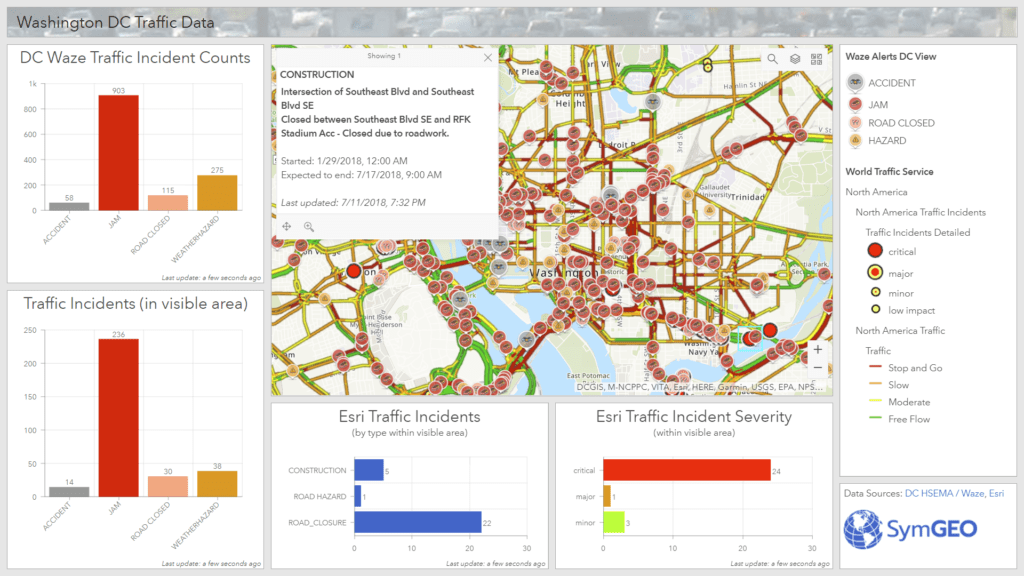
Use the DC Traffic Dashboard to plan your commute, see what’s in store, or enjoy your day of telework that much more! Contact SymGEO for more info or for your own handy-dandy dashboard.
Community engagement and business development are key ingredients for a successful neighborhood. Rapid advancements in web technology have made it easier than ever to engage with your citizens and neighbors and to create a real sense of ownership and responsibility for the direction of the community. To facilitate community engagement from a retail business perspective, SymGEO created Downtown: Energize! using ArcGIS Hub technology.
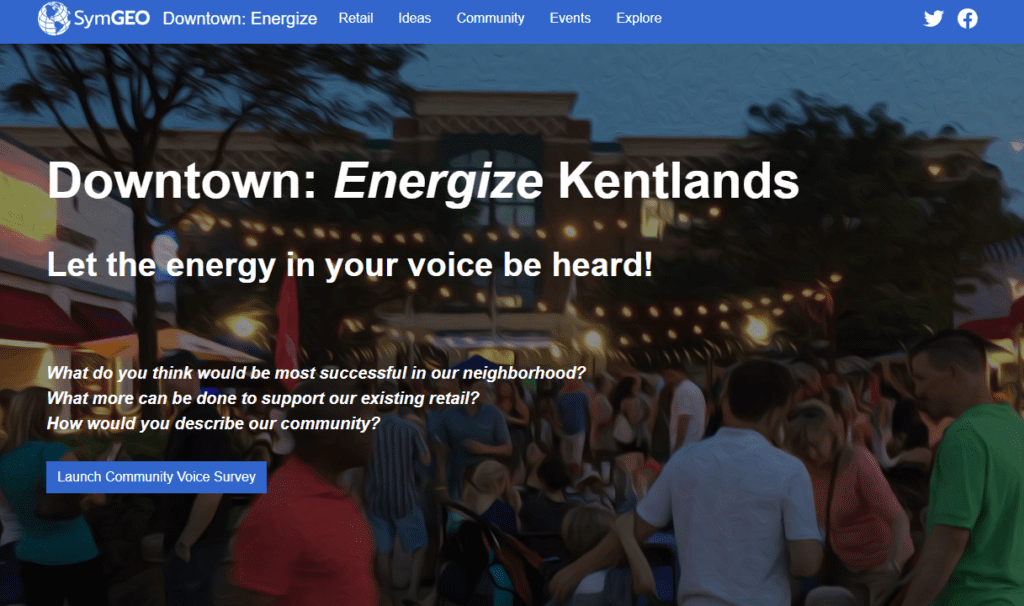
The site was well-received by residents and business owners, has been featured in several local newspaper publications, and in Esri’s ArcNews publication entitled “ArcGIS Hub Gets Mixed-Use Community Involved in Retail Decision-Making“. It also showcases a commercial real-estate management system designed to keep track of existing businesses, future businesses, and available locations.
Downtown: Energize! includes:
- An idea section for the community to voice what type of retail they would like to see, powered by Survey123.
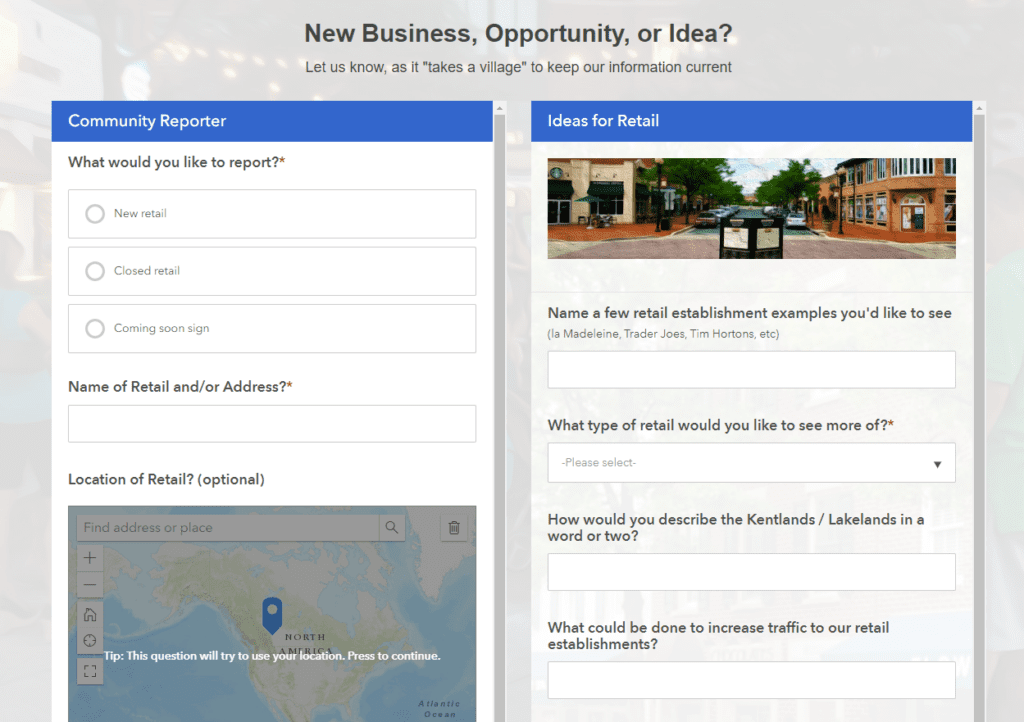
- Word-clouds generated from community surveys into the types of retail that are needed
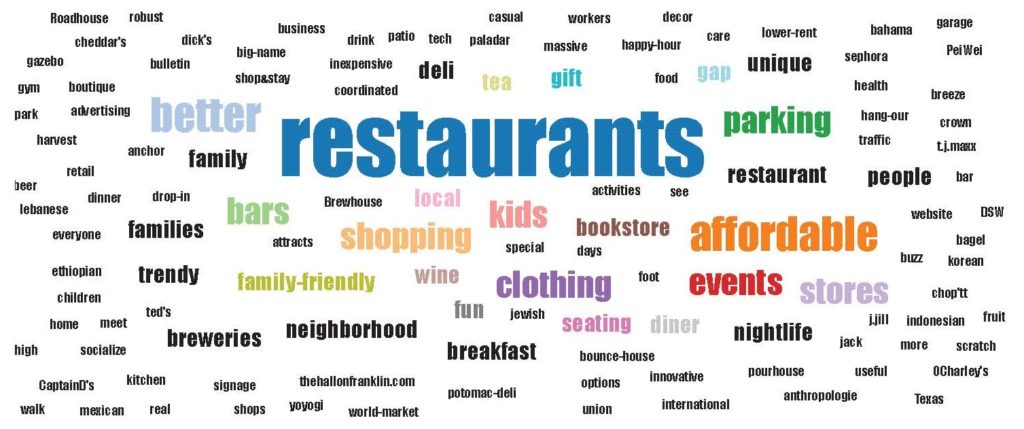
- An opportunity locator section to highlight available commercial properties, powered by GeoForms and Web AppBuilder
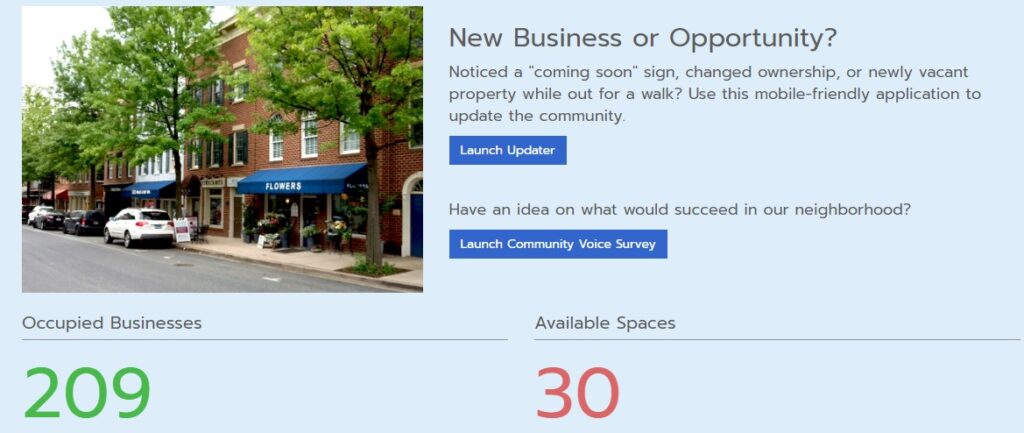
- A look at existing retail in the neighborhood

- Lots of great neighborhood-specific data from Esri

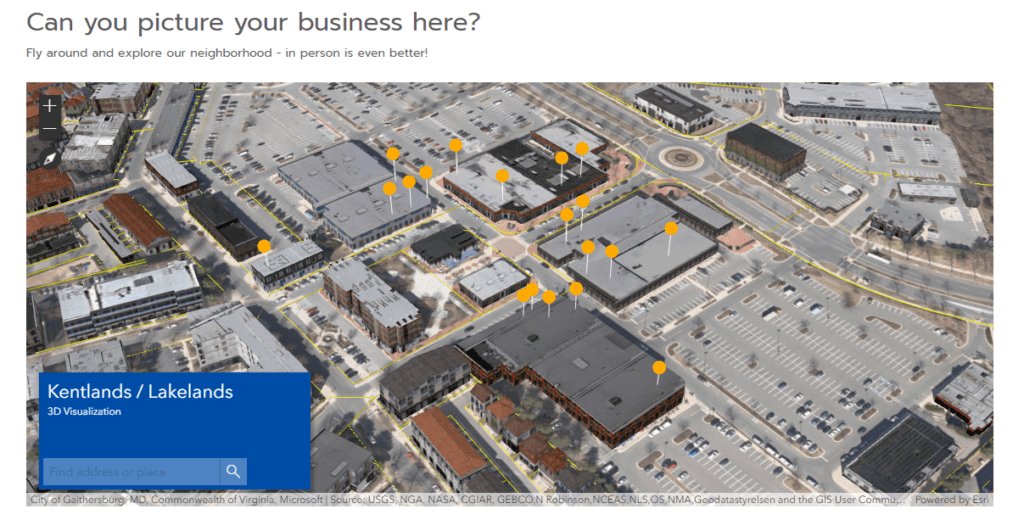
- The option to explore the neighborhood in a 3D model created using CityEngine and ArcGIS Pro
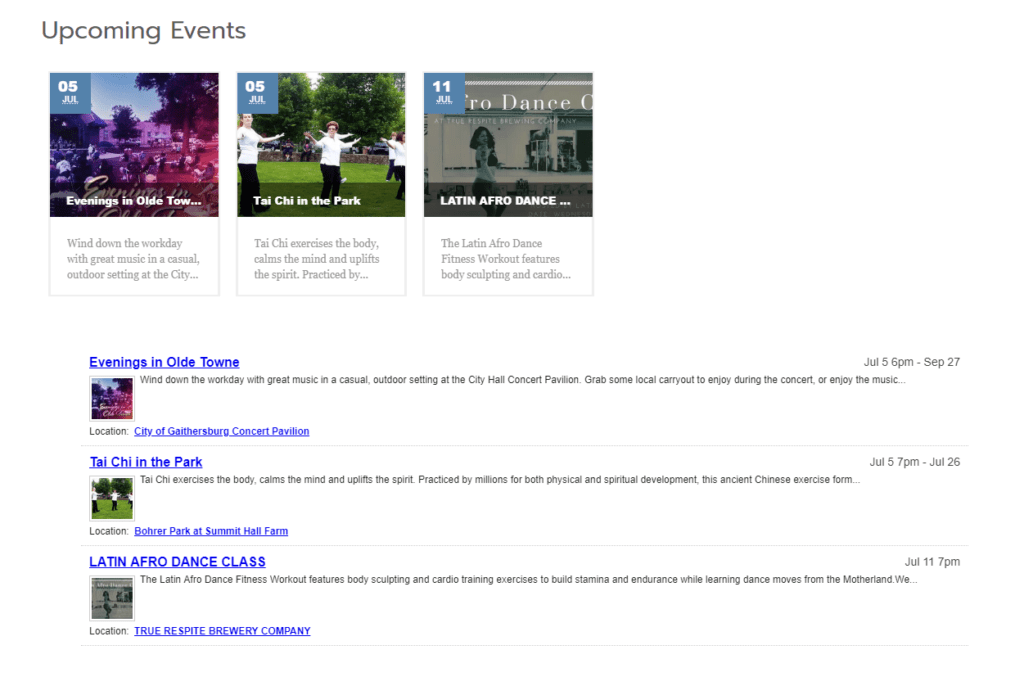
- Links to upcoming neighborhood events to show local activities
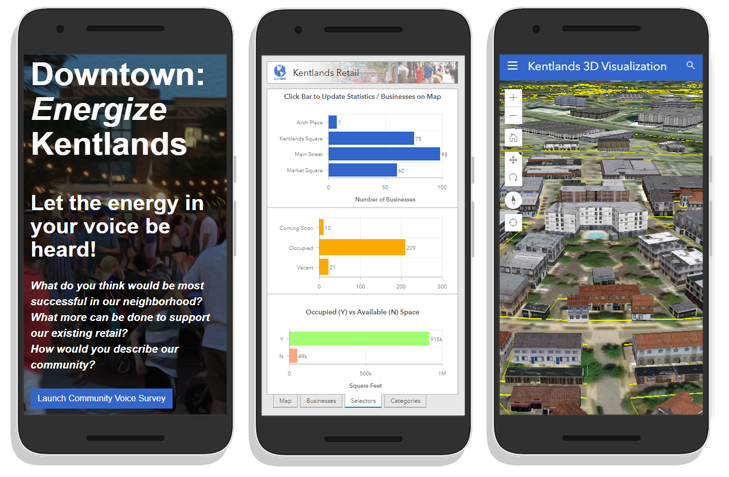
Everything is fully mobile responsive using modern Esri web architecture, ensuring community access and interactivity on the go.
If your community is ready to get started with Downtown: Energize!, let SymGEO know as we are here to help.
The world is awash with data and mapping applications, so how does one go about organizing them into meaningful, searchable components? Esri’s new ArcGIS Hub initiative is designed to organize people, processes, and technology to meet those needs. This technology gives context and purpose to data, and provides an excellent two-way engagement platform to connect departments and stakeholders.
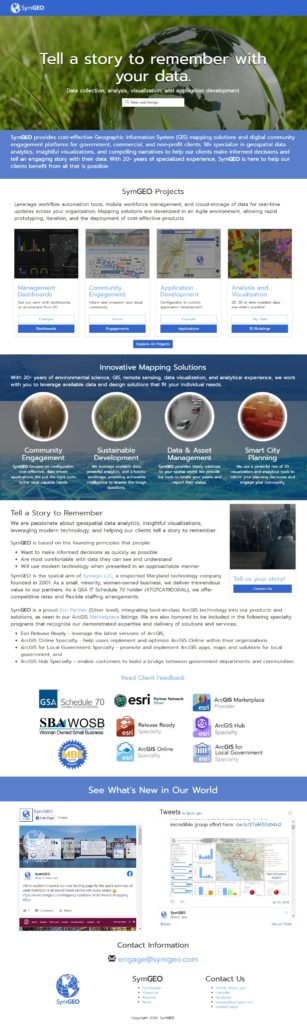
Using this mobile-responsive framework, SymGEO has built our own SymGEO Hub, and populated it with examples and branding from our main website.
If your organization is ready to get started with ArcGIS Hub, SymGEO is here to help!
Specialized data sets that answer a focused need can be difficult or impossible to find, and sometimes the data set you need simply doesn’t exist. Maybe you need locations showing the availability of fresh food in your neighborhood, or want to know the location and condition of utility boxes, or the occurrence of garage sales. Fortunately, a number of configurable data collection products are available from Esri to help.
The first question to answer is: will you be able to tap into crowd-sourced power to populate the data set? If so, a publicly accessible web link is the way to go. Esri has introduced GeoForms and Survey 123, which allow any user to enter in the attribute information and location of the data when set to public. Alternatively, the permissions can be set so that just a specific group or user within your organization can access the forms.
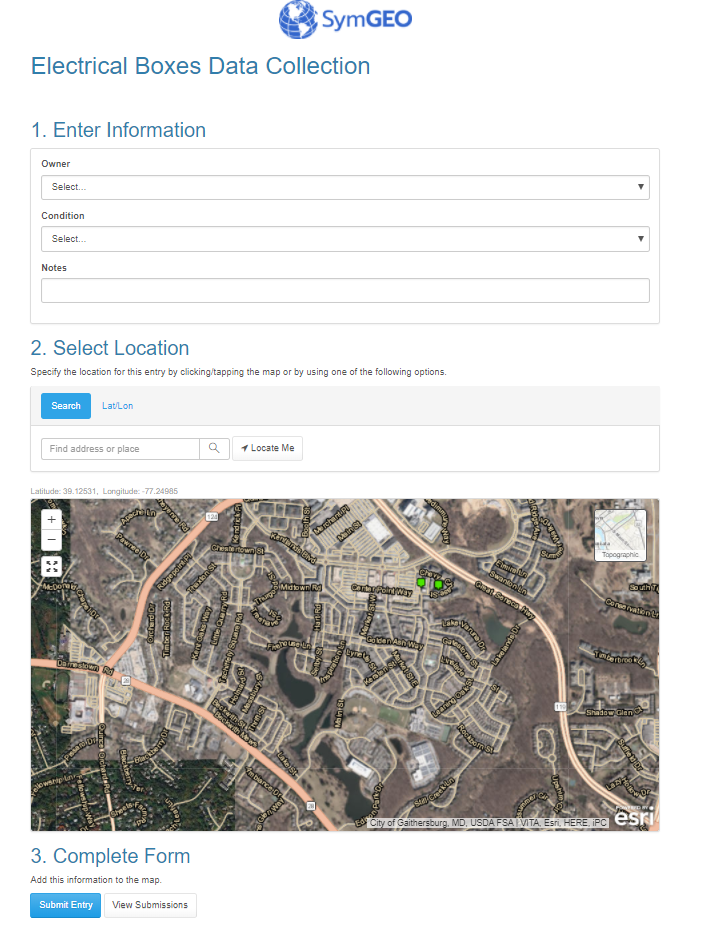
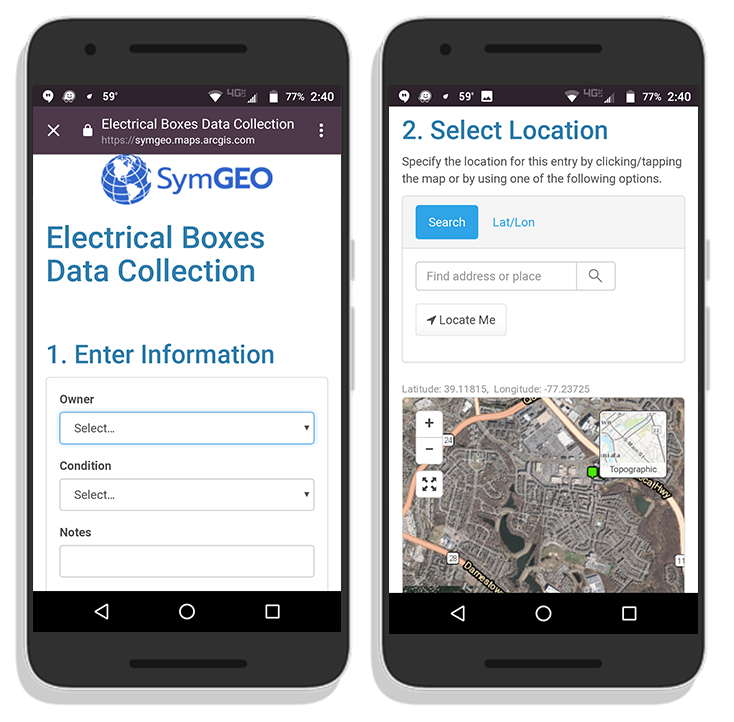
These configurable applications are mobile responsive, so fit very well onto a phone, where you can leverage the on-board camera to collect pictures at the same time.
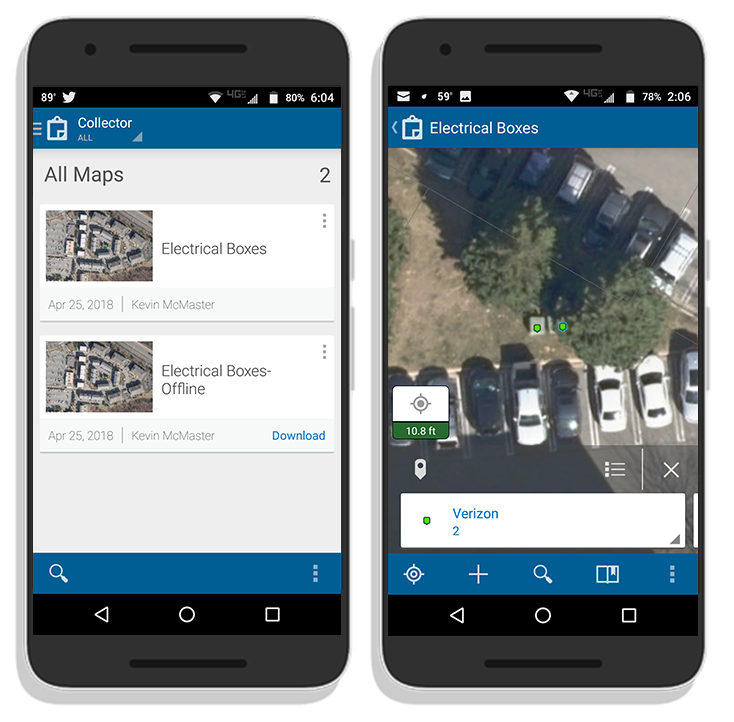
Another branch of data collection technology is Collector, which allows both connected and disconnected editing by named users. This may be useful in environments without access to mobile data or wi-fi, such as those following a disaster or storm event. These native applications are available for Android, iOS and Windows, and sync to data stored in ArcGIS Online or within an enterprise GIS when back in a connected environment.
If you’d like some help getting set up for mobile data collection, SymGEO is here to find you the perfect fit!
I admit, I resisted for years. Workflow automation seemed like too much work to set up, and I always argued that my spatial data challenges were mostly one-off unique situations that weren’t conducive to setting up a workflow. Until one recent day I saw the light… and I blame California.
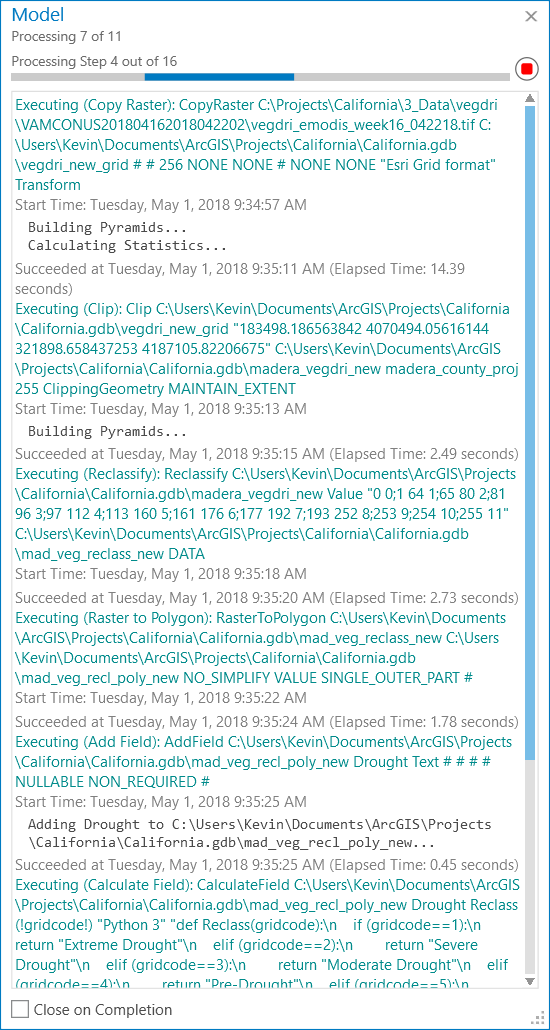
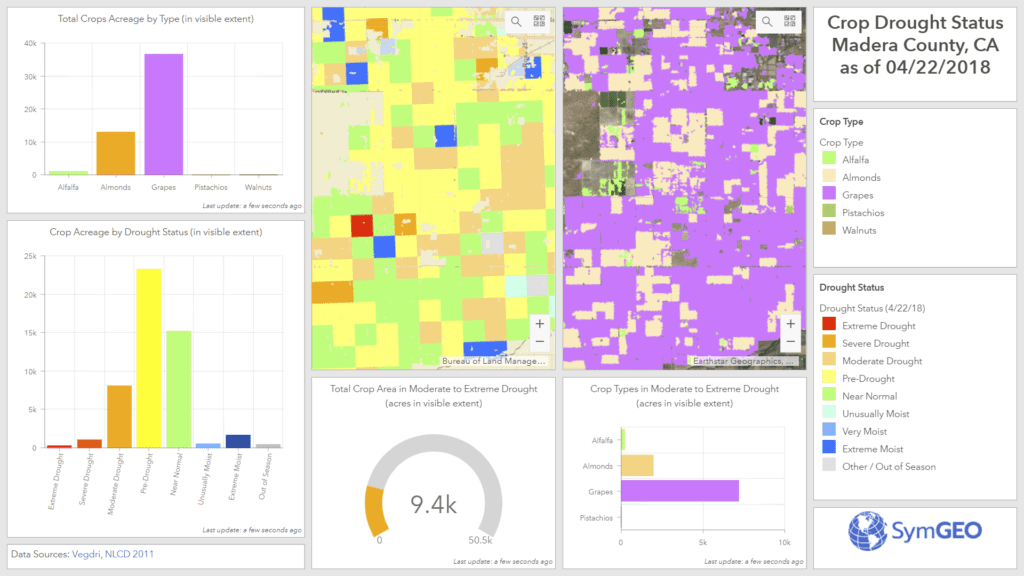
Perhaps you remember our work to incorporate near real-time remote sensing into crop drought monitoring? Well, it turns out that to keep an application like that up to date, the same process is needed time and again, and so the need for data automation was born into the world of SymGEO. Through automation, data layers and attribute fields are always named the same, and features can be over-written without fear of “something breaking” deep within a configurable application. There is also the added benefit of incorporating the usual workarounds that go into regular behind-the-scenes geospatial work such as calculating areas as acreage, or converting grid values into meaningful text. This saves countless hours of frustration and memory searching down the road when trying to repeat a process.
Needless to say, this does cause a model to expand once all the pieces are bolted on, but Esri’s ModelBuilder allows the easy configuration (and re-configuration) of the model until all works as designed.
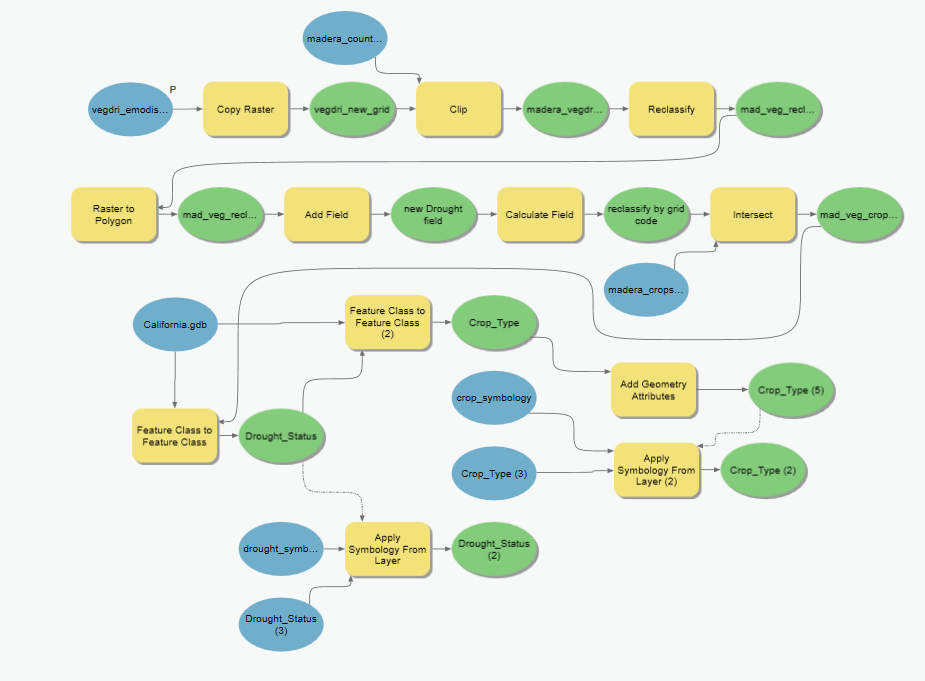
This model has been run many times to make sure all products worked as expected, especially during initial configuration. However, the time savings was considerable with workflow automation given the number of steps involved and the dependency on intermediate layers. In hindsight, it seems to be the finding and configuring of the tools that takes time, not the actual running of the tool.
These work products were used to produce and optimize the Crop Drought Status dashboard, which is now ultra-responsive and designed for use at the county-level.
If you’d like a second pair of eyes on your data workflow, let us know, as SymGEO is ready to automate with ModelBuilder!
Do you have a mobile workforce in charge of inspecting, maintaining or interacting with assets? Watering trees, inspecting signs, putting up flyers, or targeted fundraising activities? If so, there is a new technology from Esri called Workforce that has your name all over it.
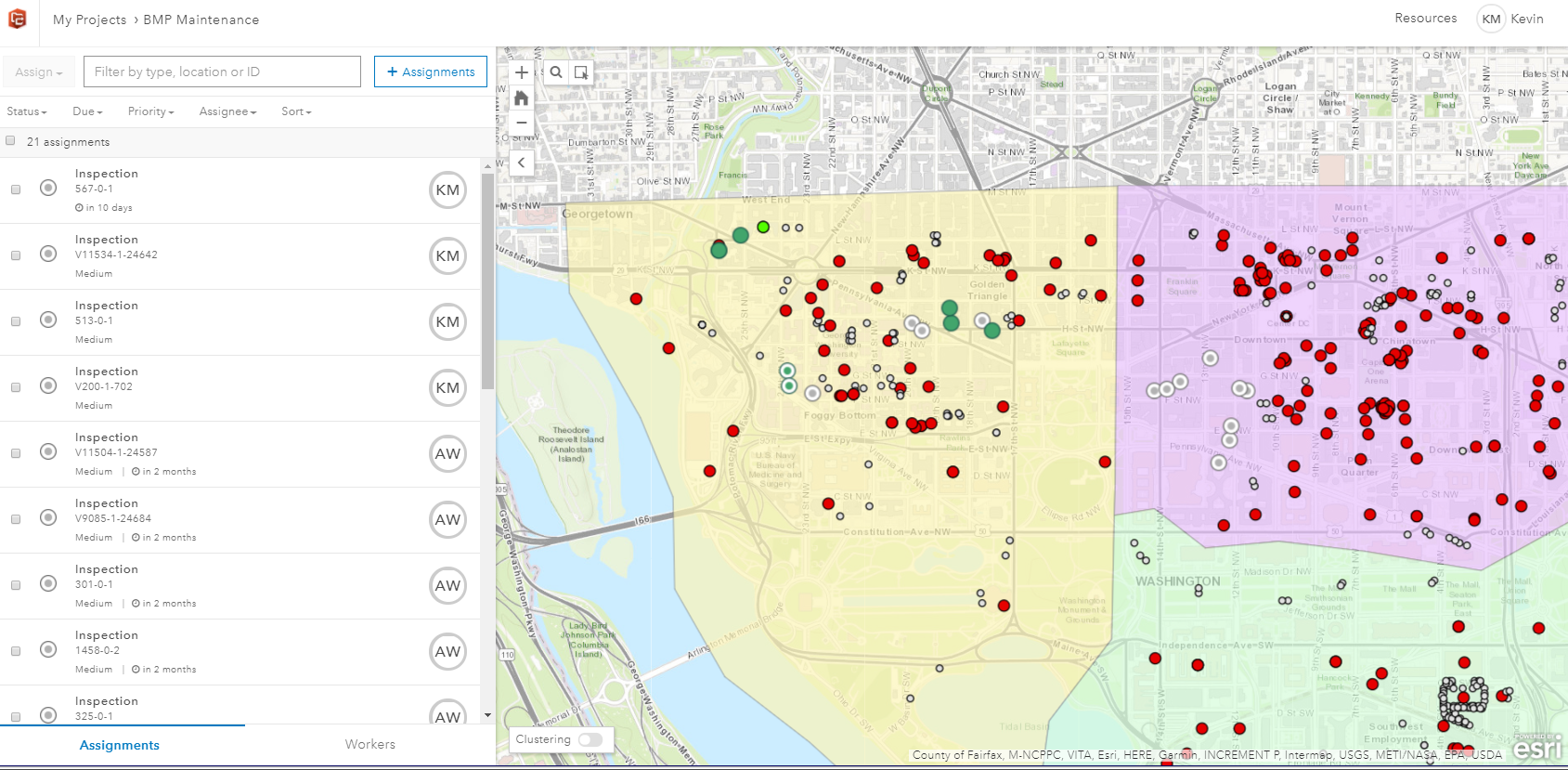
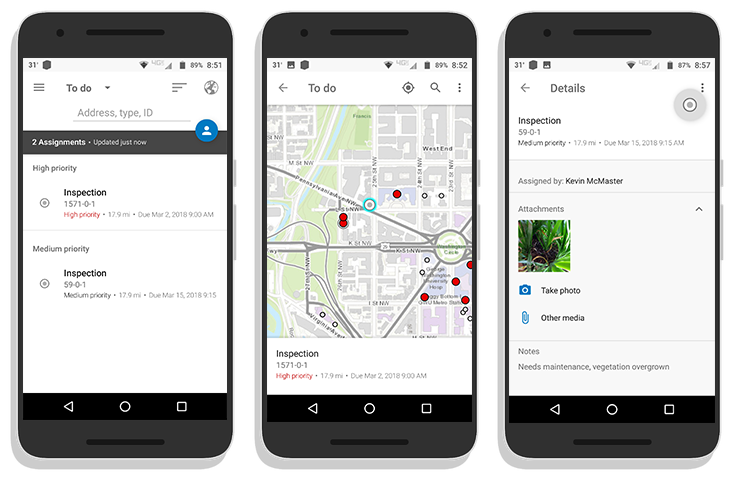
Beginning with asset data hosted in ArcGIS Online, a series of filters and queries can be used to determine which assets need to be assigned to your workforce. These might be assets over a certain age due for inspection, or locations where an issue has been reported. Assignments are made to named individuals in your ArcGIS organization, and contain information including location, priority level and due dates.
The assignments are then pushed to the mobile devices of your workforce, where they accept, navigate to, and complete the assignments. This may entail entering in notes, or taking pictures, and updating the assignment status. This information is sent back to the centralized cloud-based ArcGIS Online database in near real-time in a connected environment, or upon data synchronization if out of cell / wi-fi range.
Back in the office, the workforce administrator can use the information to check worker progress, see current worker status and location, and re-allocate resources if needed. The information is easily aggregated and displayed using a dashboard or configurable web application.
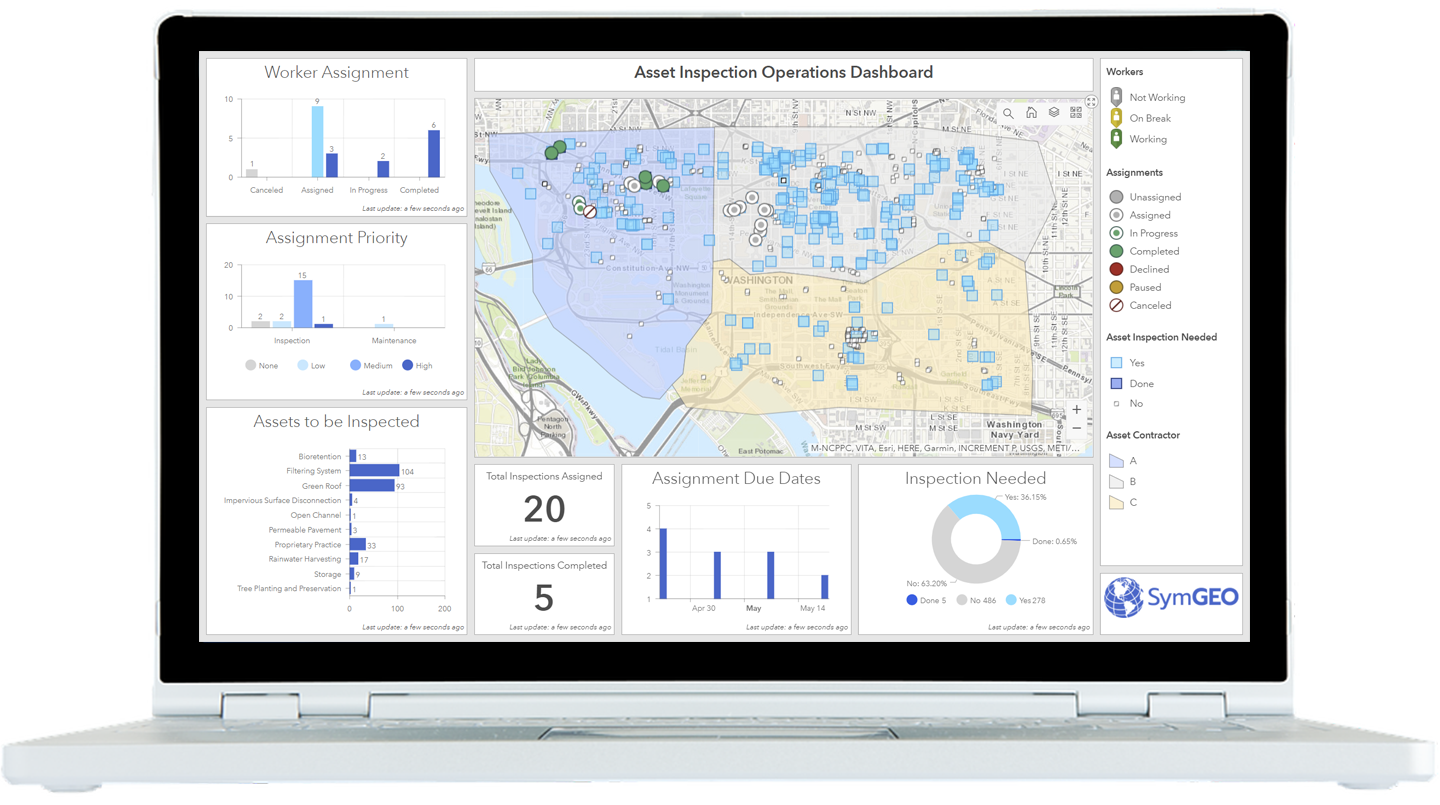
If you’d like a hand getting set up, let us know, and SymGEO will put Workforce to work for you!
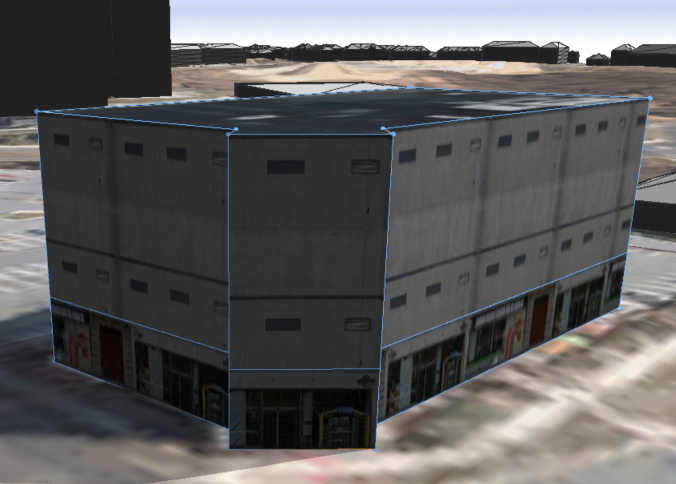
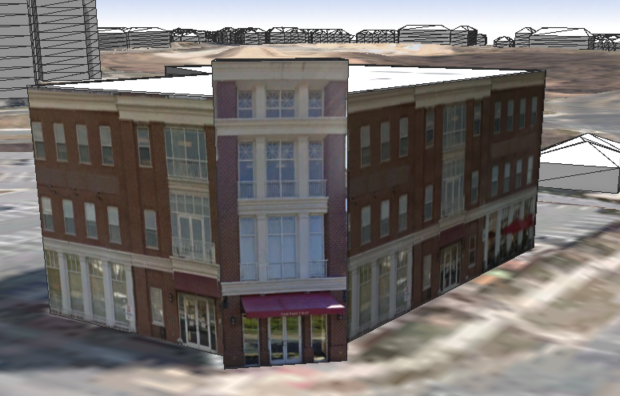
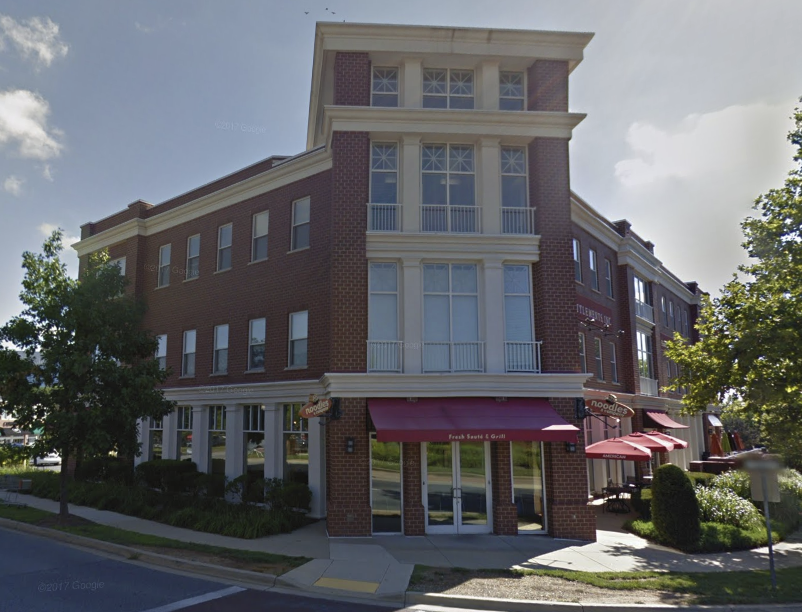
There are times when generic building models need to be upgraded to give a better representation of what is actually there. This may be useful for “hero” buildings that are immediately identifiable, or perhaps an area that has planned redevelopment activities taking place. Fortunately, adding custom texture in Esri’s CityEngine is a relatively straight-forward process. In the following example, a building is generated from LiDAR, slightly modified for a complex roof, and then ground photography is mapped as a texture onto the building. Before and after textures are shown below, with the actual building shown in Google Streetview for comparison.
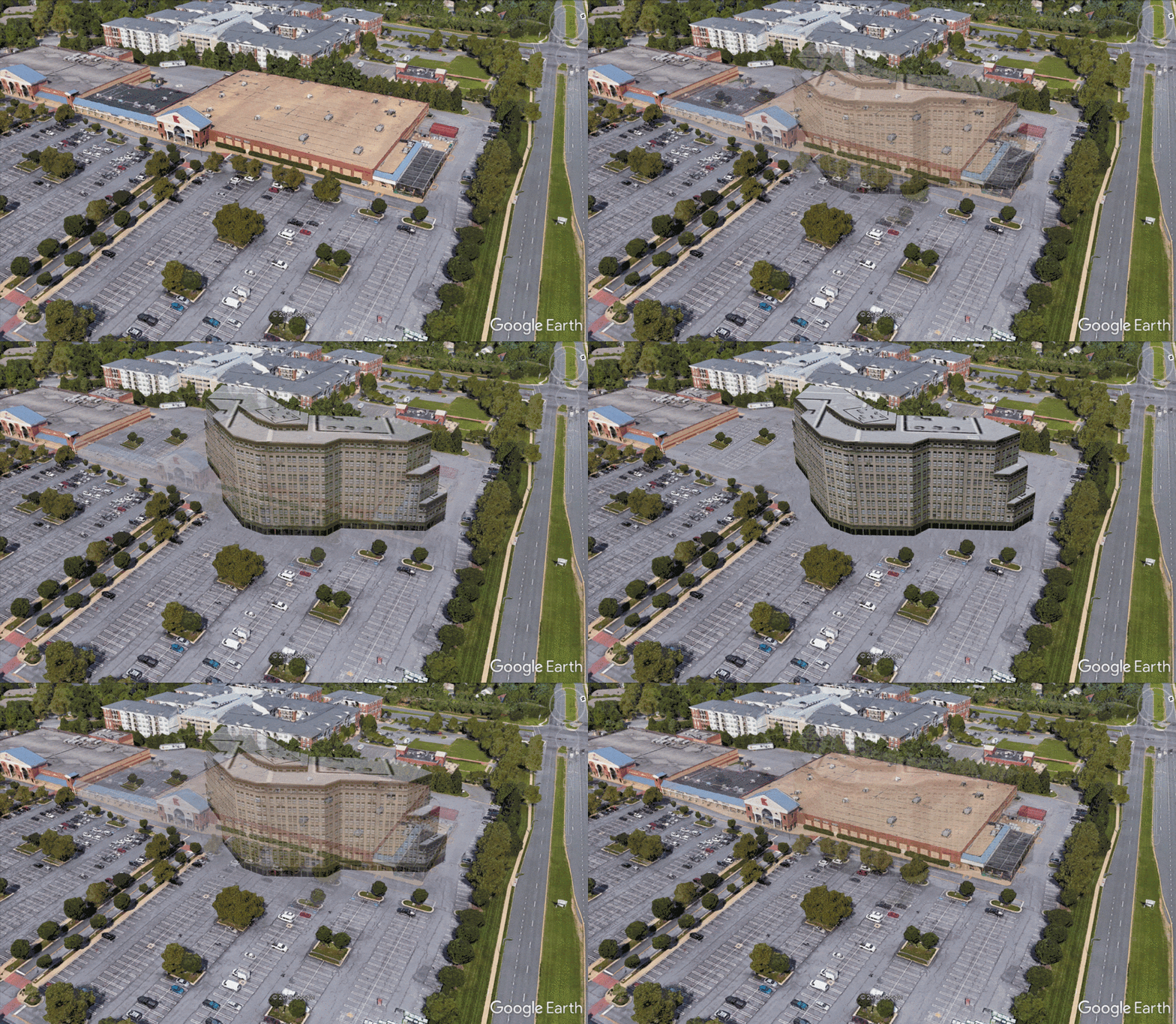
Another method of adding realism to a presentation is to use the Google Earth platform to capitalize on all of Google’s ground-based LiDAR information and photo mapping (where available). When combined with new building models and a little Photoshop, compelling before-and-after scenarios can be explored in a very cost-effective manner. This example shows where a Kmart complex may be replaced by a high-density residential building.
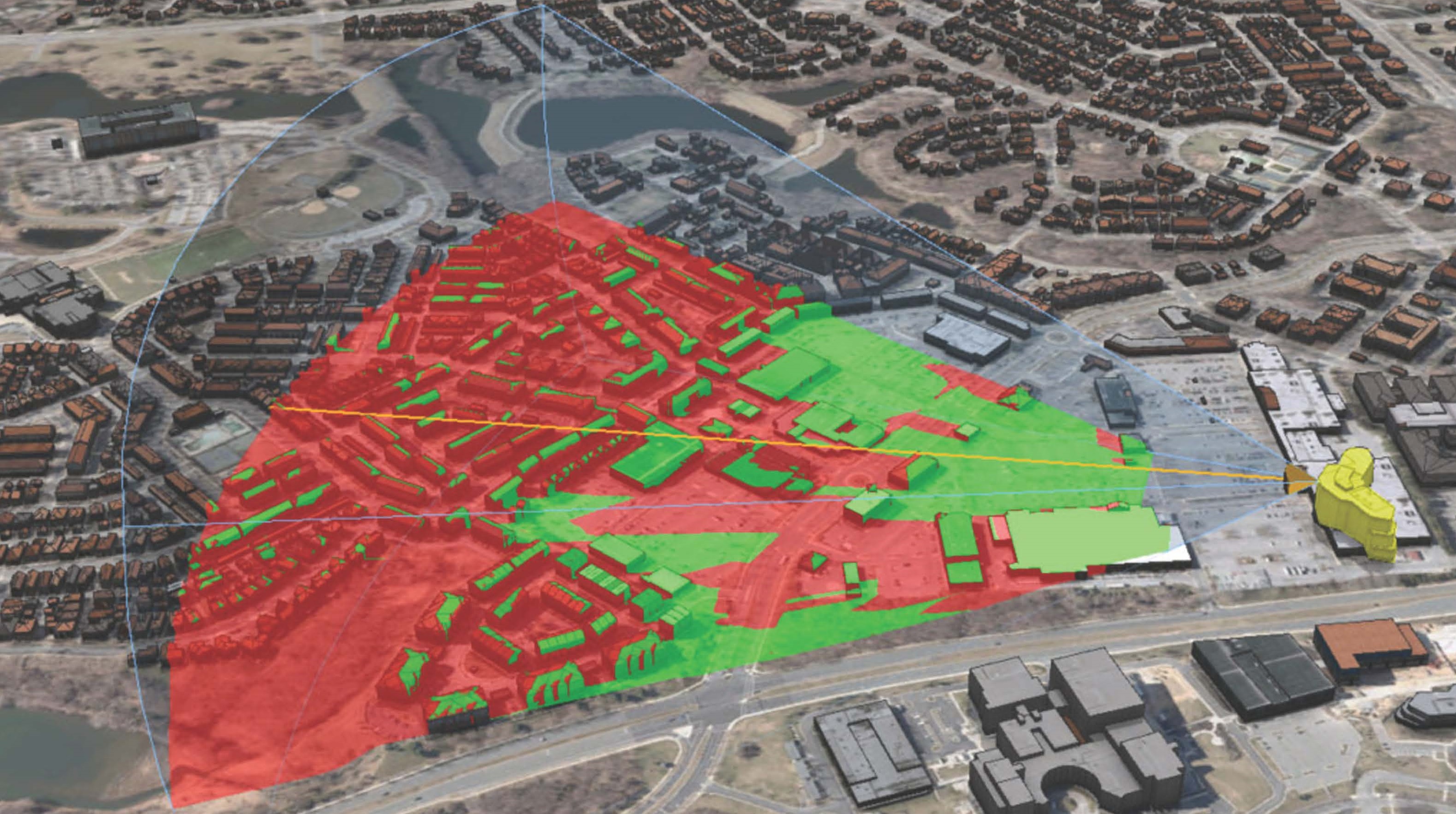
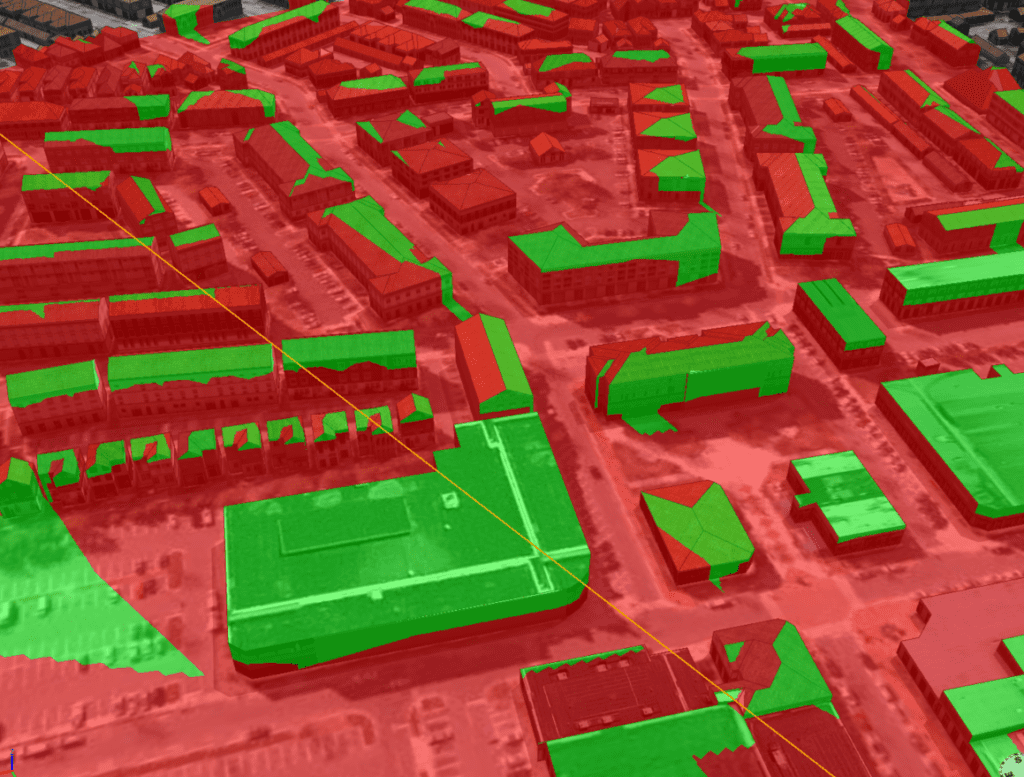
Viewsheds and site-lines can also be calculated in GIS, as all building models are constructed from either highly accurate geolocated LiDAR information or detailed architectural specifications. This helps pinpoint which existing structures may have their views impacted (shown in green), and so may required additional targeted public outreach before construction begins.
Are you planning a new development, want to explore digital 3D data, or need to have your own virtual world built? Let us know, SymGEO is here to help!